
User groups and permissions
This article explains how access control works using user groups and permissions.
Portal uses a group-based permission model to scale access management across users and applications.
Permission model
Users inherit permissions from all groups they belong to.
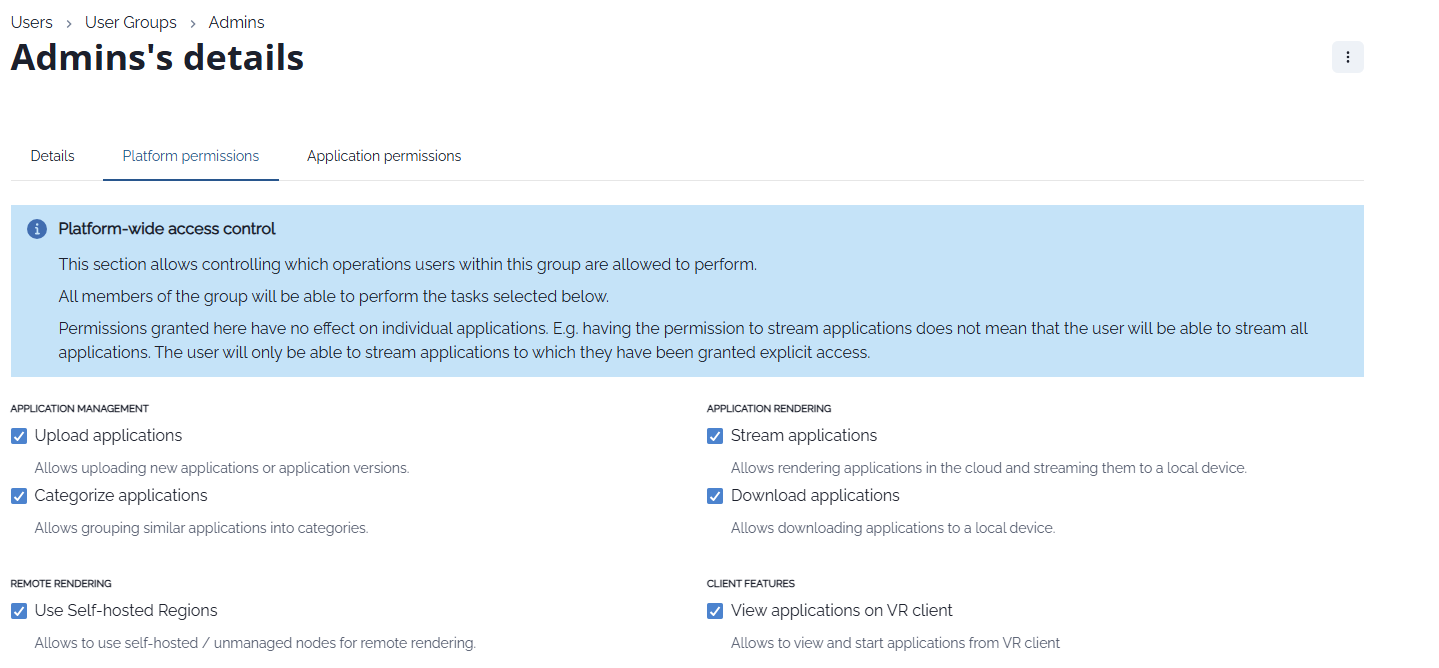
Platform permissions and application permissions are managed separately.
Step-by-step
Open User Groups
Go to Users & Groups → User Groups.
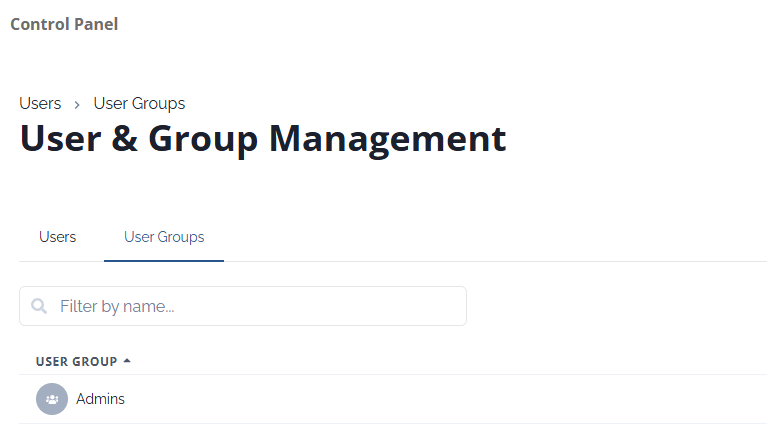
Select or create a group
Choose an existing group (for example Admins) or create a new one.Manage group members
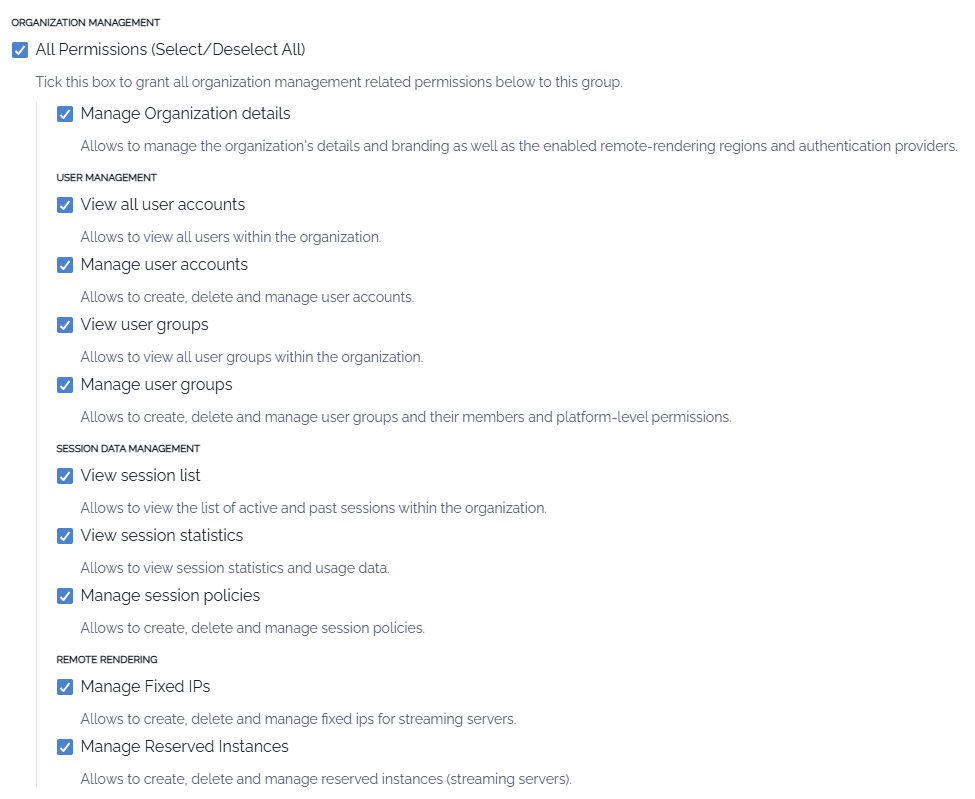
Add or remove users from the group.Configure platform permissions
Define which platform-level actions the group can perform (for example user management, streaming, session management).
Notes
Platform permissions do not automatically grant application access.
Users can belong to multiple groups at the same time.