
Authentication and single sign on (SSO)
This article explains how authentication providers work in Portal and how Single Sign-On affects user onboarding.
Authentication defines how users prove their identity. Permissions define what they can access after login.
Supported authentication methods
Portal supports multiple authentication providers:
Built-in authentication (email and password)
Single Sign-On using:
Microsoft Entra ID
Google Workspace
OpenID Connect
SAML
Multiple providers can be enabled at the same time.
Step-by-step
Open Authentication settings
Go to Settings → Authentication & SSO.
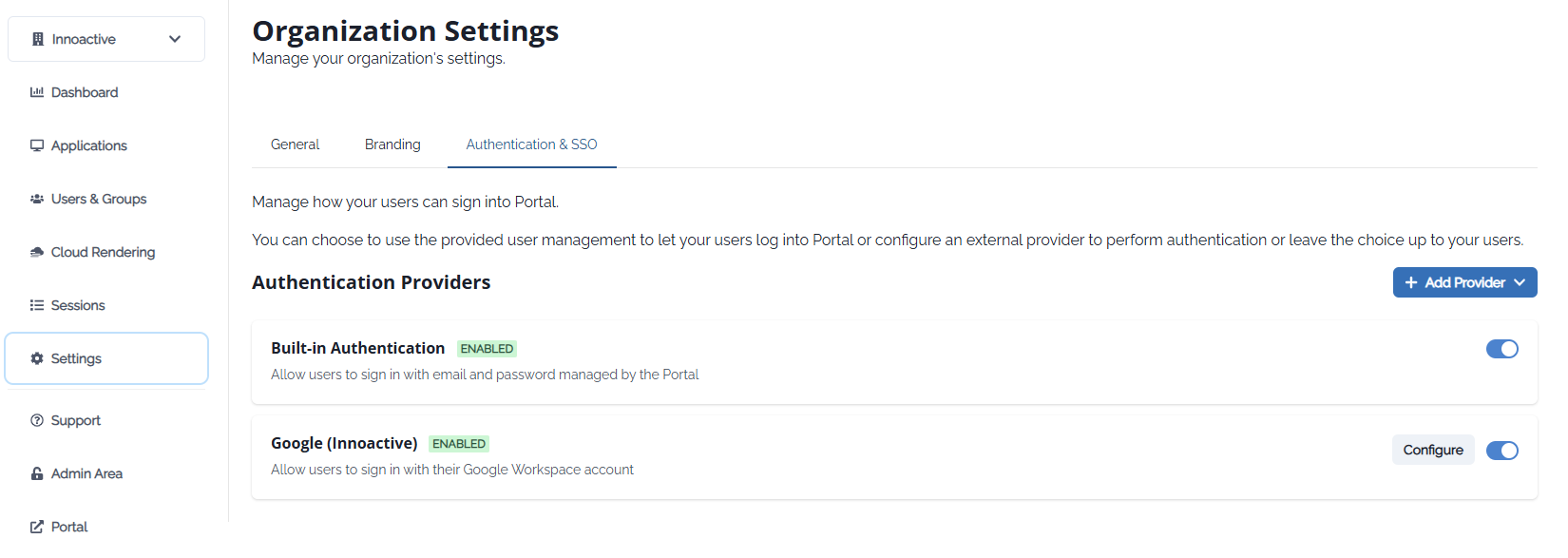
Enable authentication providers
Enable built-in authentication or configure one or more external providers.

SSO user onboarding behavior
When SSO is enabled, users can sign in without an invitation.
New users are automatically added to the Everyone group.
Control access with groups
Use user groups to restrict what SSO users can see and do after login.
Notes
Disabling built-in authentication enforces SSO-only access.
SSO simplifies onboarding but does not bypass permission management.